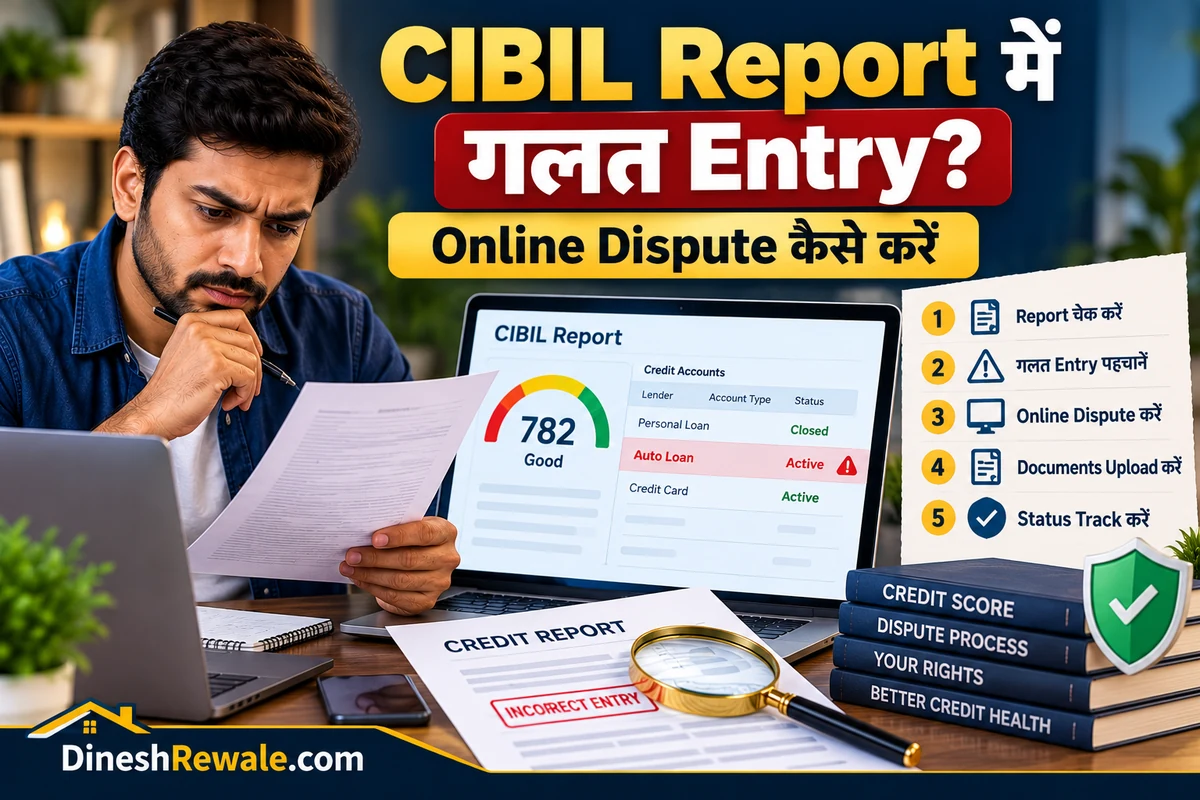
CIBIL Score में गलत Entry (Dispute) ऑनलाइन कैसे ठीक करें?
अगर आपकी CIBIL Report में ऐसा loan दिख रहा है जो आपने लिया ही नहीं, बंद किया हुआ loan अभी भी active है, payment करने के बाद भी overdue दिख रहा है या personal details गलत हैं, तो आप online dispute उठा सकते हैं। इसके लिए किसी agent को पैसे देने की जरूरत नहीं है—CIBIL की dispute service निःशुल्क है।
ध्यान रखें: dispute उठाने का मतलब यह नहीं कि entry तुरंत हट जाएगी या आपका score तय रूप से बढ़ जाएगा। TransUnion CIBIL संबंधित bank या finance company से जानकारी verify करता है। जहाँ correction जरूरी और lender से confirm हो, वहीं report update की जाती है।
CIBIL Report में कौन-सी गलतियाँ ठीक कराने के लिए dispute उठाएँ?
- गलत loan या credit card: ऐसा account दिखना जो आपका नहीं है।
- गलत outstanding या overdue: भुगतान करने के बाद भी बकाया दिखना या रकम गलत होना।
- बंद loan active दिखना: पूरा भुगतान या closure होने के बाद भी account खुला दिखना।
- गलत payment history: EMI समय पर देने के बावजूद late payment या default दिखना।
- Duplicate account: एक ही loan या credit card की entry दो बार दिखाई देना।
- गलत personal details: नाम, पता, PAN या contact details में गलती।
- बिना आपकी जानकारी के enquiry: ऐसी loan/credit-card enquiry जो आपने नहीं कराई। पहले lender से पुष्टि करें; enquiry गलत होने पर dispute उठाएँ।
अगर loan आपका है और late payment वास्तव में हुई थी, तो केवल score बढ़ाने के लिए सही जानकारी हटाने का dispute न करें। Dispute का इस्तेमाल वास्तविक गलती ठीक कराने के लिए करें।
CIBIL Score में गलत Entry ऑनलाइन ठीक करने का तरीका
सबसे पहले अपनी latest CIBIL Report खोलें। पुराने report में entry पहले ही update हो चुकी हो सकती है। CIBIL के official portal पर login करके dispute centre तक जाएँ।
- MyCIBIL में login करें: CIBIL की official website खोलें और अपने account में sign in करें। यदि report किसी bank या दूसरे provider से मिली है, तो अपनी latest CIBIL report तक पहुँचने के लिए official CIBIL portal इस्तेमाल करें।
- Latest report देखें: गलत entry का account name, account number के उपलब्ध आखिरी अंक, status, overdue amount और payment history नोट करें।
- Dispute Centre खोलें: Credit Reports section में जाएँ और “Dispute an item” या इसी तरह का dispute option चुनें। Portal के labels समय के साथ बदल सकते हैं।
- सही section चुनें: Personal, Contact, Employment, Account Details या Enquiry में से वह section चुनें जहाँ गलती है।
- गलत field और सही जानकारी बताएँ: उदाहरण के लिए, यदि loan बंद है लेकिन active दिख रहा है, तो account status पर dispute करें और closure letter/payment proof तैयार रखें।
- स्पष्ट कारण लिखें: छोटा और तथ्यात्मक विवरण दें। केवल “score गलत है” लिखने के बजाय बताएं कि कौन-सी entry गलत है और सही स्थिति क्या है।
- Submit करके Dispute ID सुरक्षित रखें: Submission के बाद मिलने वाला dispute reference/ID और confirmation email संभालकर रखें।
- Status track करें: MyCIBIL के dispute section में status देखें और CIBIL या lender के follow-up messages का जवाब दें।
आप एक dispute process में report के अलग-अलग sections की कई गलत fields भी report कर सकते हैं। यदि portal में dispute submit नहीं हो रहा, तो CIBIL के official Contact Us / Dispute FAQ के निर्देश देखें।
Dispute submit करने से पहले कौन-से documents तैयार रखें?
- Latest CIBIL Report और गलत entry का विवरण।
- Loan closure letter या No Due Certificate, अगर account बंद हो चुका है।
- EMI receipts, bank statement या payment confirmation, अगर payment update नहीं हुई।
- Loan account statement या lender से मिला written confirmation।
- गलत account आपके नाम पर है लेकिन आपने नहीं लिया, तो lender को लिखी complaint और identity verification के लिए माँगे गए वैध documents।
- पहले की complaint, email और dispute reference number।
केवल official portal या verified lender channel पर ही documents दें। OTP, password, full card details या UPI PIN किसी agent को न दें। Credit report में गलत entry ठीक कराने के नाम पर किसी third party को upfront fee देने से बचें। अगर entry किसी car loan से जुड़ी है, तो report में दिख रहे account details को अपने loan agreement से मिलाएँ; loan के प्रकार और terms समझने के लिए हमारी Car Loan vs Personal Loan guide भी देख सकते हैं।
गलत Entry ठीक होने में कितना समय लगता है?
CIBIL के अनुसार dispute resolution में आम तौर पर लगभग 30 दिन लग सकते हैं। इसमें lender/credit institution का verification भी शामिल होता है। RBI के compensation framework में credit institution को 21 calendar days और Credit Information Company (CIC) को बाकी 9 calendar days दिए गए हैं—कुल 30 calendar days।
यह समय-सीमा इस बात की guarantee नहीं है कि हर dispute में आपकी माँगी गई correction मंजूर होगी। यदि lender records के आधार पर entry सही बताता है, तो correction अस्वीकार हो सकती है। ऐसी स्थिति में lender से लिखित कारण और supporting account records माँगें।
30 दिन से ज्यादा लगें तो ₹100 प्रतिदिन compensation कब मिल सकता है?
RBI के framework के अनुसार, यदि शिकायत/विवाद शुरू में दर्ज होने के 30 calendar days के भीतर resolve नहीं होता, तो लागू नियमों के तहत देरी के प्रत्येक calendar day के लिए ₹100 compensation देय हो सकता है। Bank/finance company और CIBIL की जिम्मेदारी उनके हिस्से की देरी के अनुसार तय होती है।
ध्यान दें: compensation सिर्फ इसलिए नहीं मिलता कि आपको dispute का नतीजा पसंद नहीं आया या CIBIL Score कम है। यह eligible credit-information correction/rectification complaint को समय पर resolve न करने की देरी से जुड़ा है। RBI Circular RBI/2023-24/72 dated 26 October 2023 के तहत framework 26 April 2024 से लागू है। CIBIL के अनुसार, इससे पहले शुरू हुए और बाद में बंद किए गए disputes इस framework में शामिल नहीं हैं। शिकायत दर्ज करते समय सही bank account details देना भी जरूरी है।
₹100 per day compensation कैसे calculate होता है?
Eligible complaint को initial filing date से 30 calendar days में resolve करना होता है। सामान्य timeline में Credit Institution (CI), जैसे bank/NBFC, को 21 calendar days और Credit Information Company (CIC), जैसे CIBIL, को बाकी 9 calendar days मिलते हैं। 30 दिन की सीमा पार होने पर हर अतिरिक्त calendar day के लिए कुल compensation ₹100 की दर से बनता है। यह रकम उस CI/CIC की देरी के अनुसार बाँटी जाती है, जिसने resolution में देरी की।
Example: मान लें complaint 1 June को दर्ज हुई और eligible case में corrected Credit Information Report (CIR) 10 July को आपको email/post से भेजी गई। Filing date से 30 calendar days की अवधि 1 July को पूरी होती है; इस उदाहरण में 2–10 July के 9 अतिरिक्त calendar days की देरी पर कुल compensation का illustration ₹900 होगा। वास्तविक रकम और किस संस्था को कितना देना है, इसकी पुष्टि complaint history और RBI framework के हिसाब से होगी।
RBI circular के अनुसार, resolution date वह तारीख है जब corrected CIR complainant के दिए postal address या email पर भेजी जाती है। लागू compensation को complaint resolve होने के 5 working days के भीतर दिए गए bank account में credit किया जाना चाहिए। यदि dispute में एक से अधिक lenders की गलत information है, तो complaint concerned CIC के पास दर्ज करें ताकि वह संबंधित credit institutions के साथ coordination कर सके।
किन मामलों में ₹100/day compensation लागू नहीं होता?
- Credit Score/model से असहमति: dispute सिर्फ score की computation या credit-score model के बारे में है, report के underlying inaccurate data को correct करने के बारे में नहीं है।
- दूसरे मंच पर pending/decided matter: उसी dispute पर Consumer Commission, Court, Tribunal या किसी अन्य forum में मामला pending है या merits पर तय हो चुका है।
- CICRA Section 18 में आने वाले विवाद: framework ऐसे disputes को exclude करता है जिनके लिए Credit Information Companies (Regulation) Act, 2005 की Section 18 में remedy दी गई है।
- Framework में निर्दिष्ट गैर-क्रेडिट-सूचना विषय: जैसे internal administration, staff HR/pay matters, suggestions या CI/CIC के commercial decisions.
इसका मतलब यह नहीं कि report में गलत overdue, गलत loan/account, गलत payment status या गलत personal details की correction complaint अपने-आप excluded है। यह credit information की accuracy और correction से जुड़ा eligible complaint होना चाहिए। CIBIL के official guidance के मुताबिक, complaint देर से resolve हुई हो तो compensation केवल इस कारण नहीं रुकता कि अंत में data में बदलाव आवश्यक नहीं पाया गया; फिर भी ऊपर दी गई exclusions और case-specific facts लागू रहेंगे।
Compensation नहीं मिला तो क्या करें? Escalation steps
- Proof सुरक्षित रखें: dispute ID/Enquiry Control Number (ECN), initial complaint date, acknowledgements, emails/SMS, lender replies, rejection reason और updated CIR भेजे जाने की date अपने पास रखें।
- CIBIL dashboard check करें: dispute/compensation section में resolution status और compensation breakdown देखें। शिकायत दर्ज करते समय bank account number और IFSC जैसी सही payout details दी गई थीं या नहीं, यह भी verify करें।
- लिखित में calculation माँगें: CIBIL और/या संबंधित lender को complaint reference के साथ लिखें। Total delay, कौन-सी संस्था कितने दिन late हुई, ₹100/day calculation, payout status और किसी denial का specific reason माँगें। CIBIL को compensation calculation पर लिखते समय ECN/Dispute ID दें।
- पहले संबंधित संस्था की grievance process पूरी करें: यदि देरी bank/NBFC की तरफ से हुई है, तो उसके grievance officer/nodal officer को complaint दें। यदि credit data कई lenders से जुड़ा है, तो CIBIL/CIC को भी complaint reference सहित लिखें।
- RBI में escalation: यदि compensation गलत तरीके से deny हुआ है, तो RBI Complaint Management System (CMS) पर शिकायत की maintainability जाँचें। 1 July 2026 से लागू Reserve Bank – Integrated Ombudsman Scheme, 2026 के तहत सामान्यतः पहले concerned regulated entity को complaint देना होता है; 30 दिन में reply न मिले या reply/solution से असंतुष्ट हों, तो लागू timeline के भीतर Ombudsman route लें। Scheme की exclusions भी लागू होती हैं, इसलिए सभी credit-information disputes अपने-आप maintainable नहीं होते।
Official references: RBI Circular: Framework for Compensation for Delayed Updation/Rectification of Credit Information (PDF), CIBIL compensation framework and FAQs, और RBI Integrated Ombudsman Scheme, 2026 FAQs.
CIBIL ने dispute reject कर दिया तो क्या करें?
- Rejection का कारण माँगें: CIBIL और संबंधित lender से लिखित clarification लें।
- सीधे lender से शिकायत करें: Bank/finance company के customer care या grievance redressal channel को documents के साथ शिकायत दें। Complaint number सुरक्षित रखें।
- सही proof के साथ दोबारा review माँगें: यदि पहले document छूट गया था या lender ने गलत जानकारी दी है, तो updated proof के साथ follow-up करें या CIBIL में dispute दोबारा उठाने की प्रक्रिया देखें।
- Bank की शिकायत का जवाब संतोषजनक न हो: पहले संबंधित bank/NBFC के grievance process का इस्तेमाल करें। यदि RBI Integrated Ombudsman Scheme की शर्तें पूरी होती हैं, तो RBI Complaint Management System पर शिकायत दर्ज करने की eligibility जाँचें। सामान्य तौर पर RBI Ombudsman जाने से पहले regulated entity को शिकायत देना और जवाब का इंतजार/निर्धारित समय पूरा होना जरूरी होता है।
CIBIL report में बदलाव संबंधित credit institution की पुष्टि पर निर्भर करता है। इसलिए CIBIL और lender—दोनों के साथ dispute reference और evidence का record रखें। अगर report में किसी loan account की स्थिति को लेकर भ्रम है, तो Personal Loan की application और account details समझने वाली guide भी पढ़ सकते हैं।
CIBIL Dispute और Score बढ़ाने में क्या फर्क है?
Dispute का मकसद गलत जानकारी ठीक कराना है, score बढ़ाने की कोई guaranteed trick नहीं। अगर गलत overdue या गलत account हटता/सुधरता है, तो score पर असर पड़ सकता है; लेकिन score में कितना बदलाव होगा, इसकी पहले से guarantee नहीं दी जा सकती। सही जानकारी होने पर score बेहतर करने के लिए समय पर EMI/credit-card bill चुकाएँ और credit utilisation को नियंत्रण में रखें।
इसके लिए हमारी guides भी पढ़ें: CIBIL Score कैसे बढ़ाएं?, Credit Utilization Ratio क्या है? और Credit Card Bill Late होने पर क्या होता है?
आसान Monthly Checklist
| क्या जाँचें? | क्या करना है? |
|---|---|
| नया loan/credit card | सिर्फ अपना और सही account होने की पुष्टि करें। |
| Payment update | Payment proof और lender statement रखें। |
| Closed account | Closure letter/No Due Certificate संभालकर रखें। |
| Dispute status | Reference ID से status और email updates देखें। |
अक्सर पूछे जाने वाले सवाल (FAQs)
1. CIBIL में गलत entry ठीक कराने के लिए कोई fee लगती है?
नहीं। CIBIL की consumer dispute resolution service निःशुल्क है। किसी agent को पैसे देना जरूरी नहीं है।
2. क्या CIBIL मेरे report से गलत loan खुद हटा सकता है?
CIBIL संबंधित lender से verification करता है। Report में बदलाव आम तौर पर lender/credit institution की पुष्टि के बाद ही किया जा सकता है।
3. Dispute resolve होने में कितने दिन लगते हैं?
आम तौर पर लगभग 30 calendar days लग सकते हैं। वास्तविक समय lender के verification और dispute के प्रकार पर निर्भर करता है।
4. 30 दिन बाद क्या मुझे ₹100 रोज मिलेंगे?
Eligible credit-information correction complaint 30 calendar days से अधिक समय तक unresolved रहे, तो initial 30 दिनों के बाद हर अतिरिक्त calendar day के लिए ₹100 compensation बन सकता है। Credit Institution को सामान्यतः 21 दिन और CIC/CIBIL को शेष 9 दिन मिलते हैं; रकम संस्था की actual delay के अनुसार बाँटी जाती है। Framework 26 April 2024 से लागू है और credit-score model/computation disputes तथा अन्य specified exclusions पर लागू नहीं होता। सही bank account details दें और CIBIL dashboard/compensation section में payout status देखें।
5. Loan बंद करने के बाद भी active दिख रहा है, तो क्या करें?
पहले lender से closure letter या No Due Certificate लें। फिर CIBIL में account status पर dispute उठाएँ और proof सुरक्षित रखें।
6. गलत enquiry से CIBIL Score कम हो सकता है?
अनजान enquiry को report में जाँचें और lender से पुष्टि करें। यदि enquiry आपकी नहीं है, तो CIBIL में dispute उठाएँ। Score पर असर आपके पूरे credit profile और scoring model पर निर्भर करता है।
7. Dispute reject होने पर कहाँ शिकायत करें?
पहले CIBIL और संबंधित lender से लिखित कारण लें। फिर lender के grievance redressal channel का इस्तेमाल करें। पात्र होने पर RBI Complaint Management System के जरिए आगे शिकायत कर सकते हैं।
8. क्या dispute उठाने से CIBIL Score तुरंत बढ़ जाएगा?
नहीं। Dispute से score बढ़ने की guarantee नहीं होती। यदि गलत जानकारी सही की जाती है, तो score बदल सकता है; बदलाव कितना होगा, यह पूरे credit report पर निर्भर करता है।
Official Links
- TransUnion CIBIL: Consumer Dispute Resolution
- CIBIL: Delay Compensation Framework
- RBI Complaint Management System
लेखक: Dinesh Rewale
Dinesh Rewale, DineshRewale.com पर personal finance, banking और consumer awareness से जुड़े विषयों को आसान हिंदी में समझाते हैं। उनका उद्देश्य पाठकों को सही जानकारी के आधार पर बेहतर वित्तीय फैसले लेने में मदद करना है।
Facebook पर Dinesh Rewale से जुड़ें
Disclaimer: यह लेख सामान्य जानकारी के लिए है, कानूनी या वित्तीय सलाह नहीं। Dispute की प्रक्रिया और eligibility संबंधित credit institution, CIBIL तथा लागू RBI नियमों पर निर्भर कर सकती है। कोई कदम उठाने से पहले official website पर नवीनतम निर्देश जाँचें।