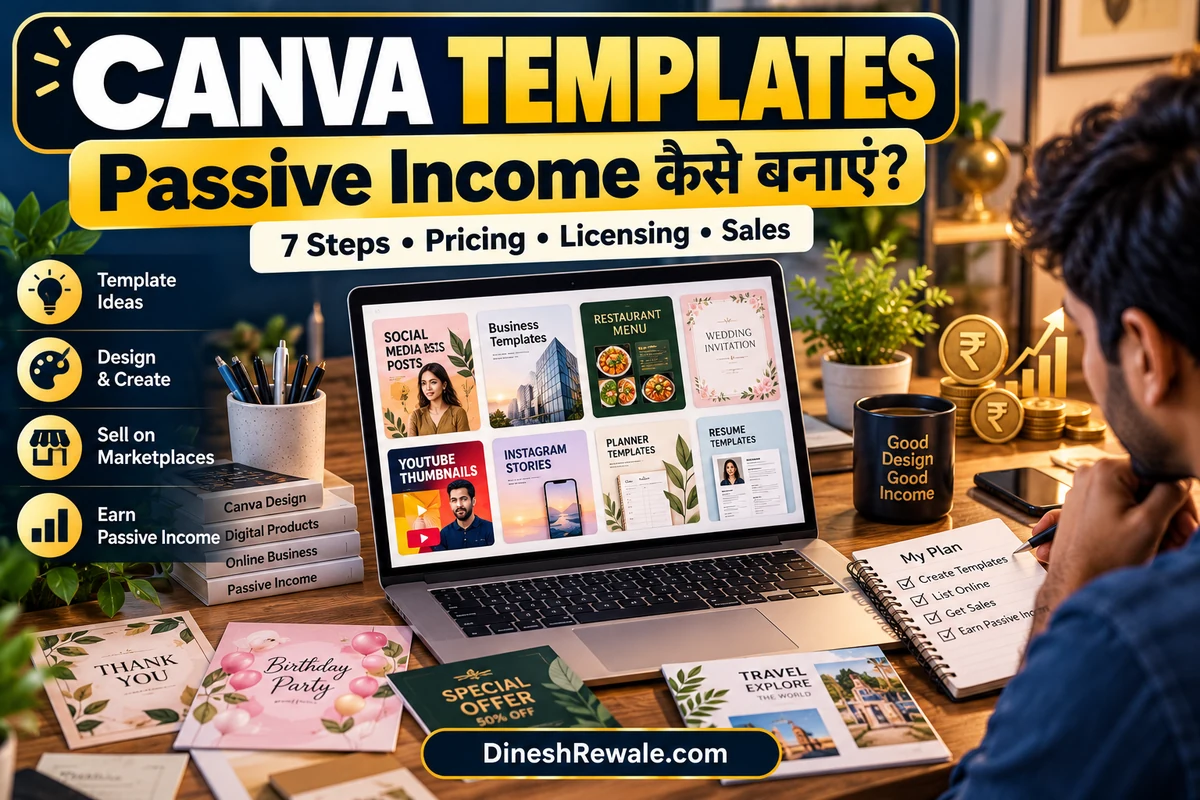
Canva Template बेचकर Passive Income कैसे बनाएं? 7 Steps
Canva Templates बेचकर Passive Income बनाना एक digital product business का तरीका है। आप एक बार उपयोगी, original template बनाकर उसे कई customers को बेच सकते हैं। उदाहरण के लिए Instagram carousel, YouTube thumbnail, wedding invitation, resume, presentation, menu card या छोटे business के लिए social media post pack। हर customer के लिए design दोबारा बनाने की जरूरत नहीं होती, लेकिन sales अपने आप आने की guarantee भी नहीं है। शुरुआत में product बनाना, listing तैयार करना, marketing करना और customer queries संभालना पड़ेगा।
इस guide में आप जानेंगे कि कौन-से Canva templates बेचने चाहिए, उन्हें कहां list करें, भारत से selling के लिए platform कैसे चुनें, price कैसे test करें, Canva की licensing conditions क्या हैं और कमाई का realistic हिसाब कैसे लगाएं।
Canva Template क्या होता है?
Canva Template एक editable design होता है जिसे buyer अपनी जरूरत के हिसाब से बदल सकता है। जैसे किसी salon owner को हर हफ्ते Instagram posts चाहिए, किसी teacher को worksheet चाहिए या किसी job seeker को resume बनाना है। Ready layout मिलने से उनका समय बचता है और यही आपके product की value है।
Template और final image में फर्क समझें। PNG या JPG image आम तौर पर ready design होती है, जबकि editable template buyer को text, colour, photo और layout बदलने देता है। Template बेचते समय खरीदार को सही Canva template link और सरल instructions देना product का जरूरी हिस्सा है।
कौन-से Canva Templates बेच सकते हैं?
| Template niche | किसके काम आएगा? | Product idea |
|---|---|---|
| Social media | Creators, coaches, दुकानदार | Instagram carousel, post pack, story, reel cover |
| Small business | Salon, cafe, tiffin service, boutique | Menu, price list, offer flyer, service catalogue |
| Personal career | Students और job seekers | Resume, portfolio, cover letter layout |
| Events | Families, event planners | Wedding invitation, birthday invite, welcome board |
| Education | Teachers, tutors, parents | Worksheet, lesson planner, flashcard |
| Content creation | YouTubers, podcasters, bloggers | Thumbnail layouts, media kit, presentation deck |
शुरुआत में हर तरह का template न बनाएं। एक specific audience और problem चुनें। जैसे “Indian home bakers के लिए 30 Instagram post templates” generic “1000 Canva templates bundle” से अधिक clear product offer है, क्योंकि खरीदार तुरंत समझ पाता है कि pack किस काम का है। अपने इलाके के छोटे businesses को समझने के लिए हमारी Local Business Google Profile guide भी देख सकते हैं।
Step 1: Product idea चुनने से पहले demand जांचें
सबसे पहले उस customer की पहचान करें जिसे आप design बेचेंगे। फिर Etsy जैसी marketplaces, Google search, Pinterest और Instagram पर देखिए कि उस category में किस तरह के products दिखाए जा रहे हैं। Reviews और customer questions से पता लगाएं कि खरीदार किस चीज की शिकायत करते हैं: design बदलना कठिन है, Hindi fonts सही नहीं दिखते, mobile पर edit करना मुश्किल है या instructions नहीं मिलतीं।
Competitor का design copy न करें। Research का उद्देश्य customer की जरूरत समझना है, किसी और की layout, wording, illustration या product file की नकल करना नहीं। एक छोटा survey भी मदद कर सकता है: 5 से 10 संभावित users को sample दिखाएं और पूछें कि वे इसे किस काम में इस्तेमाल करेंगे।
Step 2: Original Canva Template बनाएं
- Canva में सही size चुनें, जैसे Instagram post, presentation या A4 worksheet।
- अपना layout, typography, colour palette, section hierarchy और sample text thoughtfully बनाएं।
- एक ही product के अंदर consistent style रखें, ताकि bundle एक useful kit लगे।
- ऐसे placeholder text रखें जिन्हें customer आसानी से बदल सके, और जरूरत हो तो editing instructions जोड़ें।
- एक cover preview और 3 से 5 sample pages बनाएं, ताकि buyer purchase से पहले product समझ सके।
Canva के existing template को हल्का सा बदलकर अपना product बताकर बेचने से बचें। Canva की policy के अनुसार sell करने वाला design original होना चाहिए; Canva library के किसी element को अलग से या बहुत मामूली बदलाव करके resell नहीं करना चाहिए। अगर template में Canva Pro content शामिल है, तो उसे sell करने के लिए Canva template link का इस्तेमाल करना जरूरी है। Pro content वाला template PDF या किसी दूसरे file format में बेचना permitted नहीं है। Final decision से पहले Canva की current Content Licence पढ़ें।
Step 3: Canva Template Link सही तरीके से बनाएं
यह छोटा technical step बहुत important है। Buyer को ऐसा template link चाहिए जो design की अपनी editable copy बनाए, न कि आपके original design को edit करने की अनुमति दे। सामान्य edit link share न करें। Canva में available template sharing option का इस्तेमाल करें और किसी दूसरे account या trusted test account से link खोलकर देखें कि copy सही बन रही है।
- Original master design को अलग सुरक्षित रखें।
- Customer को template link, editing instructions और support contact एक PDF या delivery page में दें।
- Listing में साफ लिखें कि product digital है और physical item courier से नहीं आएगा।
- अगर Pro content है, तो buyer को possible Canva Pro requirement या paid-content notice पहले बताएं।
- Link publish करने से पहले mobile और desktop दोनों पर test करें।
अपने सारे editable designs का एक master folder रखें। गलत link या buyer के original file में बदलाव जैसी समस्या से बचने के लिए test purchase या test copy बनाना अच्छी आदत है।
Step 4: Canva Templates कहां बेचें?
| Platform | किसके लिए उपयोगी? | क्या ध्यान रखें? |
|---|---|---|
| अपनी website / digital store | जो अपना brand और customer relationship बनाना चाहते हैं | Payment gateway, delivery automation, refund policy, traffic और website maintenance खुद manage करनी होगी |
| Gumroad | Digital downloads और simple product page से शुरुआत | Official pricing page के अनुसार direct sales पर 10% + US$0.50 platform fee और card processing अलग (credit-card processing का listed rate 2.9% + US$0.30); Discover marketplace sale पर 30% fee, जिसमें processing शामिल है। Gumroad Help के अनुसार India में buyers को checkout पर UPI विकल्प दिख सकता है, लेकिन creator payout अलग process है। शुरू करने से पहले अपने account की payout eligibility और settings verify करें; Payoneer/Wise को supported payout method न मानें |
| Etsy | International digital-product buyers तक पहुंचने के लिए | India में नई shops को फिलहाल international buyers को sell करना होता है; GSTIN verification और Payoneer enrollment चाहिए। Setup fee और listing/transaction/payment processing fees भी लागू हो सकती हैं |
| Instagram / WhatsApp | Local customers और direct audience | शुरुआत आसान, लेकिन payment verification, link delivery, support और records व्यवस्थित रखने होंगे |
| Canva Creators | Canva marketplace में template publish कर royalty कमाने के लिए | Apply करके acceptance लेना पड़ता है; portfolio review होता है और selection/earnings guaranteed नहीं हैं |
India-based beginner के लिए: पहले एक simple checkout और automated delivery वाला option चुनें। अगर आपके पास audience नहीं है, तो marketplace search traffic दे सकती है, लेकिन competition और fees भी होंगे। अपनी website पर पूरा control हो सकता है, लेकिन customers लाने की जिम्मेदारी आपकी होगी। Canva Creators programme अलग route है; यह सामान्य shop बनाकर product upload करने जैसा open marketplace नहीं है।
Etsy को चुनने से पहले country-specific rules जरूर पढ़ें: official help page के अनुसार India से खोली गई नई shops फिलहाल केवल international buyers को sell कर सकती हैं, और onboarding में GSTIN verification तथा Payoneer की जरूरत होती है। Digital listing को भारत के buyers के लिए उपलब्ध मानकर business plan न बनाएं।
Step 5: Price कैसे तय करें?
Price तय करने के लिए template count ही न देखें। Product buyer का कितना समय बचाता है, niche कितना specific है, bundle कितना उपयोगी है, और instructions कितनी अच्छी हैं, यह भी मायने रखता है। नीचे दिए गए price ranges केवल testing के लिए शुरुआती उदाहरण हैं, किसी marketplace की guaranteed या universal market rate नहीं।
| Product type | Test price idea | Value कैसे बढ़ाएं? |
|---|---|---|
| Single template | ₹99 से ₹199 | एक clear use case और simple instructions |
| 10 से 20 templates का pack | ₹299 से ₹599 | Consistent design, multiple variations, editable text |
| Niche business kit | ₹699 से ₹1,499 | Posts, stories, offers, price list और instructions का bundle |
पहले एक या दो packs से शुरुआत करें। Views ज्यादा हैं लेकिन sales नहीं, तो product preview, offer, price और buyer instructions जांचें। Sales आती हैं पर refund या support complaints ज्यादा हैं, तो पहले product experience सुधारें। हर हफ्ते price बदलने के बजाय पर्याप्त clicks और feedback मिलने पर एक बदलाव test करें।
Step 6: कमाई का हिसाब कैसे लगाएं?
मान लीजिए आपने एक template pack की कीमत ₹299 रखी। नीचे केवल gross sales का illustration है। यह profit नहीं है और न ही उतनी बिक्री होने का prediction है।
| महीने में sales | Price per pack | Gross sales |
|---|---|---|
| 5 | ₹299 | ₹1,495 |
| 20 | ₹299 | ₹5,980 |
| 50 | ₹299 | ₹14,950 |
इसमें platform fees, payment processing, refund, advertising, software subscription, tax और आपकी मेहनत शामिल नहीं है। अगर महीने में एक भी sale नहीं आती, तो gross income zero हो सकती है। इसलिए “एक template बनाओ और life भर पैसा कमाओ” जैसी बात को guarantee न समझें। Product पुराना हो सकता है, trends बदल सकते हैं और customer support देना पड़ सकता है।
Step 7: Sales को semi-passive कैसे बनाएं?
Semi-passive का मतलब है कि शुरुआती मेहनत और systems बनाने के बाद हर sale के लिए पूरी प्रक्रिया manually न करनी पड़े। Business को नियमित रूप से देखना फिर भी पड़ेगा।
- Automated delivery: Payment के बाद buyer को template link और PDF instructions automatically मिलें।
- Helpful product page: Preview images, included templates की संख्या, file/link format, Canva Free या Pro requirement और refund terms साफ लिखें।
- Search-friendly title: “Canva templates” जैसे broad keyword के साथ buyer niche भी रखें, जैसे “Hindi salon Instagram templates” या “bakery menu template”.
- Useful content publish करें: Short tutorial, before/after example और एक sample template दिखाएं। केवल “Buy now” posts पर निर्भर न रहें।
- Email list या repeat audience: Free sample pack से interested people को value दें और permission के साथ updates भेजें।
- Product update schedule: Broken links, outdated dates, font issues और customer feedback नियमित रूप से check करें।
Online earning के दूसरे तरीकों पर हमारी AI Tools से पैसे कमाने की guide और Faceless YouTube Channel guide भी पढ़ सकते हैं। अगर आप digital products के साथ audience build करना चाहते हैं, तो Telegram Channel/Bot से कमाई की guide और घर बैठे कमाई के तरीकों की जानकारी भी उपयोगी हो सकती है।
Canva Creators programme से royalty कैसे कमाएं?
Canva Creators एक अलग रास्ता है। आपको template creator के तौर पर application देना होता है और अपने काम का portfolio दिखाना पड़ता है। Canva की current information के अनुसार portfolio में 5 से 10 high-quality examples का public link होना चाहिए और application approval जरूरी है। Acceptance के बाद templates Canva marketplace में publish होते हैं और creator programme के नियमों के अनुसार royalty मिल सकती है।
यह तय मत मानें कि application हर किसी की approve होगी या हर template से fixed income आएगी। Canva Creators की eligibility, application status, review requirements और payment terms बदल सकते हैं, इसलिए apply करने से पहले official Creators page check करें।
Copyright, scams और tax से जुड़े जरूरी checks
- Copy-paste template मत बेचें: Canva की library से दूसरे creator का template लेकर सिर्फ रंग बदलना पर्याप्त original work नहीं है।
- Logo और celebrity image से सावधान रहें: किसी brand का logo, copyrighted character या किसी और की photo बिना उचित permission के template pack में शामिल न करें।
- Canva Pro assets की शर्तें पढ़ें: Pro content वाले templates को Canva template links के रूप में बेचें; उन्हें PDF या अन्य downloadable template file बताकर न बेचें।
- Fake passive-income courses से बचें: Guaranteed earnings, लाखों की पक्की monthly income या बिना मेहनत के sales के दावे पर भरोसा न करें। Product, audience और marketing पर काम जरूरी है।
- Records रखें: Sales, platform fees, refunds, software खर्च और payouts का record रखें। भारत में आपकी business activity और customer location के हिसाब से income tax और GST obligations अलग हो सकती हैं। Cross-border sales शुरू करने से पहले CA या योग्य tax adviser से सलाह लें।
अगर आपका target restaurant या tiffin-service owners हैं, तो हमारी Tiffin Service Business guide से उनके लिए menu, offer flyer और social media pack जैसे practical template ideas पहचान सकते हैं। Product templates छोटे business owners को बेचने के लिए यह समझना जरूरी है कि उन्हें वास्तव में कौन-से design काम आते हैं।
अक्सर पूछे जाने वाले सवाल (FAQs)
क्या Canva Templates बेचने के लिए Canva Pro जरूरी है?
हर case में नहीं। Free content और अपने original assets से शुरुआत संभव है। लेकिन Pro content का इस्तेमाल करने पर licence restrictions लागू होती हैं। Pro content वाले template को Canva template link के जरिए ही बेचना चाहिए और buyer को possible paid-content requirement बतानी चाहिए।
क्या एक ही Canva Template कई बार बेचा जा सकता है?
Original design के लिए, licence और platform rules का पालन करते हुए, एक ही reusable template कई customers को बेचा जा सकता है। हर buyer को अपनी copy बनाने वाला सही template link दें और किसी existing Canva template को मामूली बदलाव करके अपना बताकर resell न करें।
क्या बिना audience के बिक्री हो सकती है?
हो सकती है, लेकिन शुरुआत में कठिनाई ज्यादा होती है। Marketplace search, niche-specific product pages, useful tutorials और social media से संभावित buyers लाने पड़ सकते हैं। Sales की guarantee नहीं होती।
भारत से Etsy पर Canva Templates बेच सकते हैं?
Etsy की current India seller guidance के अनुसार नई Indian shops international buyers को sell कर सकती हैं; setup fee, GSTIN verification और Payoneer enrollment जैसी शर्तें लागू हैं। Digital items को India में buyers द्वारा खरीदा जा सकेगा, ऐसा मानकर listing न बनाएं; latest official policy check करें।
क्या Canva Creators और अपनी दुकान पर template बेचना एक ही है?
नहीं। Canva Creators programme में apply करके approval लेना होता है और marketplace usage के आधार पर royalty मिल सकती है। अपनी website या दूसरे platform पर बेचना अलग business model है, जिसमें pricing, customer acquisition, delivery और support आप manage करते हैं।
काम के Official Links
- Canva: Commercial use और products बेचने की licence conditions
- Canva Creators: Application और portfolio requirements
- Canva Template Creators programme
- Etsy: India से seller account और payment setup
- Etsy: Current seller fees और taxes
- Gumroad: Official pricing and transaction fees
- Gumroad: Payout methods और payment setup
संबंधित गाइड: Hardware Shop Business: खर्च और Profit Margin · Tiffin Service Business घर से कैसे शुरू करें · Manufacturing Business Ideas · Telegram Channel/Bot से कमाई · Network Marketing (Direct Selling) Guide
लेखक: Dinesh Rewale
Dinesh Rewale, DineshRewale.com पर business, digital tools, online earning और personal finance से जुड़े practical topics पर आसान हिंदी में जानकारी साझा करते हैं। उनका उद्देश्य है कि पाठक किसी भी online business को शुरू करने से पहले खर्च, नियम, risks और वास्तविक मेहनत को समझ सकें।
Facebook पर Dinesh Rewale से जुड़ें
Disclaimer: यह लेख सामान्य शैक्षिक जानकारी के लिए है, कमाई की guarantee या कानूनी, tax अथवा investment advice नहीं है। Canva और selling platforms की licensing, eligibility, fees और payout policies बदल सकती हैं। कोई payment, listing या subscription लेने से पहले official terms जांचें। अपनी आय और business structure के अनुसार योग्य tax adviser से सलाह लें।